
When should I choose surveys, spreadsheets, or forms instead of assessment software? [FAQ]

Written April 7, 2026, by Jeroen De Rore

You should see assessment software as the master tool that encompasses everything survey tools, spreadsheets, and form tools do, plus much more. If you have a potential budget for assessment software, and you’re still hesitating, use this rule of thumb:

  • Pointerpro icon Orange (3)

    Choose surveys when you need broad feedback or pulse checks – no personalized outputs required.

  • Pointerpro icon Orange (3)

    Choose spreadsheets when the logic is evolving, volumes are low, and manual analysis is acceptable.

  • Pointerpro icon Orange (3)

    Choose forms when you just need to capture data and route it into a system (CRM/marketing), with minimal logic.

  • Pointerpro icon Orange (3)

    Choose assessment software when you need to diagnose, score, benchmark, and instantly deliver personalized advice/reports at scale.

This article answers the most frequent questions people ask when browsing for the right tool directly. Read this article if you want a comprehensive guide on which tool does what.

When are survey tools a good fit?

Use a survey tool when:

  • Pointerpro icon Orange (3)

    Goal: Gather opinions, satisfaction, or preferences across a broad audience.

  • Pointerpro icon Orange (3)

    Complexity: Light branching at most; no complex scoring or weighted models.

  • Pointerpro icon Orange (3)

    Output: Aggregate insights, dashboards, and trends—no individualized recommendations.

  • Pointerpro icon Orange (3)

    Volume: Medium to large sample sizes (100s–1000s), where response speed and ease-of-distribution matter.

  • Pointerpro icon Orange (3)

    Team: Marketing/CS needs fast turnaround and simple analytics.

Typical use cases: NPS/CSAT/feature feedback, post-event feedback, market research, product/UX testing pulses.

Evergreen example of a survey

When are spreadsheets a good fit?

Use a spreadsheet (Excel/Google Sheets) when:

  • Pointerpro icon Orange (3)

    Goal: Prototype a scoring model, test assumptions, or run a small internal exercise.

  • Pointerpro icon Orange (3)

    Complexity: You can manage the logic in formulas; occasional manual overrides are fine.

  • Pointerpro icon Orange (3)

    Output: Internal insight or a manual slide/PDF—no instant customer-facing report.

  • Pointerpro icon Orange (3)

    Volume: Low (usually <1,000 records), few collaborators (<5), limited change frequency.

  • Pointerpro icon Orange (3)

    Constraints: Budget sensitivity and speed; governance needs are low to moderate.

Typical use cases: Early-stage diagnostic model design, manual cohort analysis, prioritization frameworks, one-off workshops.

Collected response in a spreadsheet (generated with Gemini)

Example from the field:

We regularly hear from consultants and coaches who start with spreadsheets and manual compilation. One boutique HR consultant described spending “an hour per survey” manually pulling together deliverables in SurveyMonkey – feasible for a handful of clients, but an obvious ceiling as volume grows.

That hour-per-report is a reliable signal that it’s time to consider automation.

When are simple form builders a good fit?

Use a simple form when:

  • Pointerpro icon Orange (3)

    Goal: Collect contact data or short inputs to trigger workflows—lead gen, registrations, intake.

  • Pointerpro icon Orange (3)

    Complexity: Minimal logic (a few fields, maybe a dropdown), no heavy scoring or dynamic branching.

  • Pointerpro icon Orange (3)

    Output: Data capture into CRM or spreadsheet; automated notifications/assignment.

  • Pointerpro icon Orange (3)

    Volume: Any, but the questionnaire itself is intentionally short and basic.

  • Pointerpro icon Orange (3)

    Integration: You primarily need routing (CRM/marketing automation), not analytics/reporting.

Typical use cases: Lead capture, demo requests, intake forms, support triage starters, event registrations.

Evergreen example of a lead capture form

Clear signals you should not use assessment software (yet)

  • Pointerpro icon Orange (3)

    You don’t need to deliver individualized value (e.g., a personalized report, recommendations, or maturity profile).

  • Pointerpro icon Orange (3)

    The “logic” is trivial: a few multiple-choice questions, no weighted scoring or complex branching.

  • Pointerpro icon Orange (3)

    You’ll read responses manually and follow up 1:1 anyway.

  • Pointerpro icon Orange (3)

    You’re exploring ideas; the model and messaging will change weekly.

  • Pointerpro icon Orange (3)

    Budget or time constraints outweigh the benefits of automation and polish.

You primarily need workflow routing – for instance, automatically assigning candidates to a hiring stage based on their ATS status, or triggering a form when someone reaches a pipeline milestone. 

Assessment software is built for scoring and report delivery, not for orchestrating those kinds of automated task flows. If your main need is “when X happens in our CRM, send this form,” a native integration between your CRM and a form tool is almost always the simpler and cheaper path.

You want the software to generate the questions for you on the fly (e.g., pulling questions directly from a job description or auto-building an assessment per role). Assessment platforms automate the delivery of your expertise; they expect you to bring the framework. AI tools can help you draft question sets quickly, but the resulting content still needs to be set up in the platform before it can be automated.

Clear signals you should move to assessment software

  • Pointerpro icon Orange (3)

    You need to deliver instant, personalized value: a PDF/HTML report with dynamic narratives, charts, and recommendations.

  • Pointerpro icon Orange (3)

    Complex logic: weighted scoring, multi-dimensional frameworks, benchmarks, and conditional content.

  • Pointerpro icon Orange (3)

    Sales/CS workflow tie-in: score-based routing, playbooks, and CRM updates (e.g., update fields, create tasks).

  • Pointerpro icon Orange (3)

    Scale and governance: many respondents, multilingual, white-label, roles/permissions, audit trails, and data retention.

  • Pointerpro icon Orange (3)

    Longitudinal insights: cohort trends, benchmark updates, health scoring over time, and executive reporting.

  • Pointerpro icon Orange (3)

    External stakeholders must self-serve and get a polished output without analyst involvement.

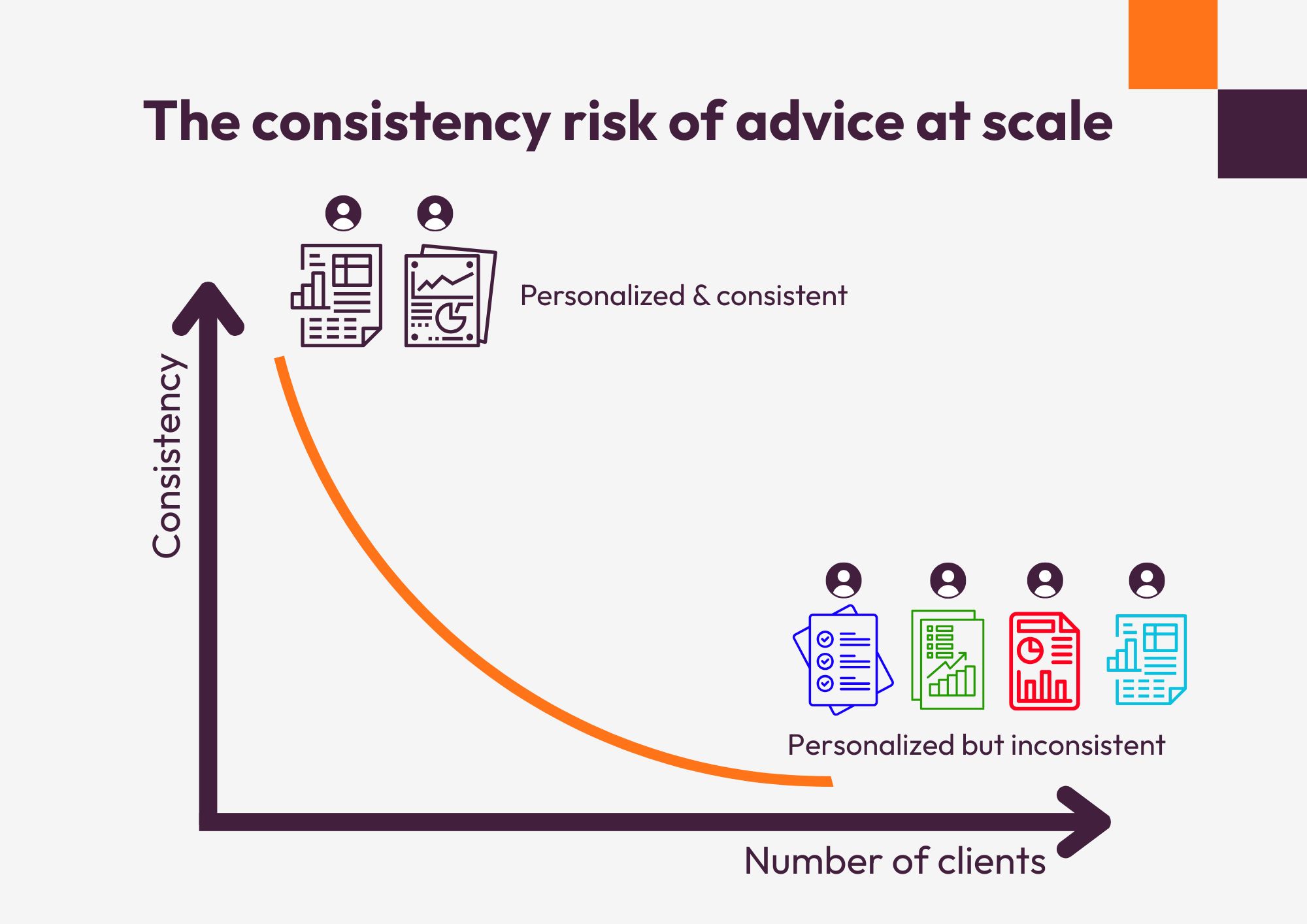
You’re currently doing this manually and it’s eating time you should be spending on your actual expertise. If a coach, consultant, or sales team is hand-building reports after each assessment – compiling scores, writing personalized paragraphs, formatting a PDF – assessment software replaces that entire loop.

Evergreen example of an assessment report (generated with Gemini)

Example from the field:

One insurance broker team we spoke with was running a risk diagnostic via PowerPoint slides in a live meeting, with a colleague manually recording responses in a lightweight app they’d built themselves. They recognized assessment software as the right tool the moment they realized the manual process wouldn’t survive at any real scale.

You want to offer the same framework to many different clients with their own branding and terminology. White-labeling and per-respondent personalization are core to what assessment software does—something spreadsheets and surveys simply can’t replicate.

A quick decision matrix to choose the right tool for your surveys and assessments

Best toolWhy
“We just need to gauge NPS after a webinar.”SurveyHigh-level aggregate insights
“We want to test a maturity model internally this month.”
SpreadsheetIterate quickly; low-cost prototyping
“We need a form to capture leads and push to HubSpot.”
FormSimple collection and routing
“We want prospects to get a tailored business case instantly.”
Assessment softwareComplex scoring + personalized report
“We’ll manually review 50 responses and present findings.”
Spreadsheet/surveyManual analysis is fine at this scale
“We need multilingual, white-labeled, benchmarked diagnostics.”
Assessment softwareScale, governance, dynamic content

Fair benchmarking is not about pretending all groups are the same. It’s about making the comparison meaningful.

Several practices improve fairness:

Practical hybrid approaches

  • Pointerpro icon Orange (3)

    Prototype in spreadsheets → Validate logic → Migrate to assessment software once stable.

  • Pointerpro icon Orange (3)

    Use forms to qualify → Route qualified contacts to a richer assessment.

  • Pointerpro icon Orange (3)

    Run a survey for broad sentiment → Use assessment for selected segments needing tailored recommendations.

  • Pointerpro icon Orange (3)

    Post-assessment surveys → Capture satisfaction with the assessment experience or follow-up needs.

Cost/ROI cues

  • Pointerpro icon Orange (3)

    If each result requires human interpretation, start with spreadsheets/surveys.

  • Pointerpro icon Orange (3)

    If scaling to 100s/1000s of respondents with consistent deliverables, assessment software rapidly pays off.

  • Pointerpro icon Orange (3)

    If the “deliverable” is a sales/CS asset (e.g., a tailored roadmap), assessment software reduces cycle time and increases perceived value.

If you’re a solo practitioner or small team, the math shifts earlier than you might expect. The time cost of manually compiling even 20–30 personalized reports per month can easily exceed the annual license cost of an automated platform—and that’s before accounting for the quality and consistency gains.

In conclusion: A simple checklist to decide

  1. Do you need instant personalized reports?
  2. Is scoring multi-dimensional, weighted, or benchmarked?
  3. Will results trigger automated CRM workflows/playbooks?
  4. Do you need white-label, multilingual, or PDF outputs?
  5. Are >200 respondents expected per month?
  6. Do non-analysts need to run this without support?
  7. Do you need cohort analytics over time?
  8. Are you currently spending more than 30 minutes per respondent assembling a deliverable manually?

If most answers are “no,” start with a survey, spreadsheet, or form. If not, or you hesitate, don’t hesitate to contact us at Pointerpro for an assessment software discovery call

Want to know more?

Subscribe to our newsletter and get hand-picked articles directly to your inbox

Please wait..
Your submission was successful!

Create your own assessment
for free!

People also ask

Quiz tools are typically designed for engagement or entertainment, with simple scoring and limited logic. Assessment software, on the other hand, supports complex scoring models, benchmarking, and generates personalized reports with actionable insights.

If you're spending more than 30–60 minutes per response compiling results, or struggling to keep up with volume and consistency, manual reporting has likely hit its limit. That’s a strong signal to automate with assessment software.

Yes. Many teams use surveys to gather broad feedback or segment audiences, then route specific respondents into an assessment for deeper analysis and personalized recommendations.

Forms integrated with CRMs are great for capturing and routing data, but they lack advanced scoring, conditional logic, and the ability to deliver personalized outputs like reports or recommendations.

It depends on the complexity of your model, but most teams can move from a validated spreadsheet to a fully functional assessment in a few days to a couple of weeks, especially if their framework and scoring logic are already defined.
  

Recommended reading

About the author:

Jeroen De Rore

As Creative Copywriter at Pointerpro, Jeroen thinks and writes about the challenges professional service providers find on their paths. He is a tech optimist with a taste for nostalgia and storytelling.