
Pour your knowledge into a Pointerpro assessment and let our software do the work. The assessments you create deliver personalized advice on autopilot. The result?


Trusted by 1.500+ consultants, coaches, marketers, HR specialists and companies worldwide










With Pointerpro you are in the driver seat. Pour your questions, your assessment logic and your expertise into the tool.
What your end users receive are dynamically generated, personalized insights – tailored to their needs.
From maturity, risk, and skills evaluations to personality profiles, 360 reports, to many other use cases. Pointerpro transforms your respondents’ input with your expertise into actionable reports that truly resonate – based on your rules.


Deliver actionable insights that adapt based on individual (or even aggregate) response data. Use widget logic rules based on outcomes, scores, and formulas to show personalized content and advice.

Pointerpro offers a wide variety of widgets: text blocks, visuals, diverse charts, tables, text blocks, KPI indicators, and more.
This variety allows you to mix and match elements and create highly personalized reports, tailoring how insights are presented to each respondent.

Take personalization further with logic rules on any widget. Show - or hide - widgets based on outcomes or scores derived from response data.
And for highly sophisticated personalization, anchor widget logic in custom formulas to handle complex conditions.
No matter the approach, every report can be tailored to the individual situation of each user.


"We use Pointerpro for all types of surveys and assessments across our global business, and employees love its ease of use and flexible reporting."

Director at Alere
"I give the new report builder 5 stars for its easy of use. Anyone without coding experience can start creating automated personalized reports quickly."

CFO & COO at Egg Science
"You guys have done a great job making this as easy to use as possible and still robust in functionality."

Account Director at Reed Talent Solutions
“It’s a great advantage to have formulas and the possibility for a really thorough analysis. There are hundreds of formulas, but the customer only sees the easy-to-read report. If you’re looking for something like that, it’s really nice to work with Pointerpro.”

Country Manager Netherlands at Better Minds at Work

ASK
You set up your questionnaire and questions, once.

ASSESS
You apply the assessment logic and scoring, once.

ADVISE
You create a report template with all the necesarry variables, once.
The Report Builder’s PowerPoint export feature lets you instantly turn your Pointerpro reports into editable PPT files.
Easily adjust layouts, add insights, and tailor recommendations - all without starting from scratch.
Perfect for board meetings, client updates, or any time you need a presentation-ready version of your insights.
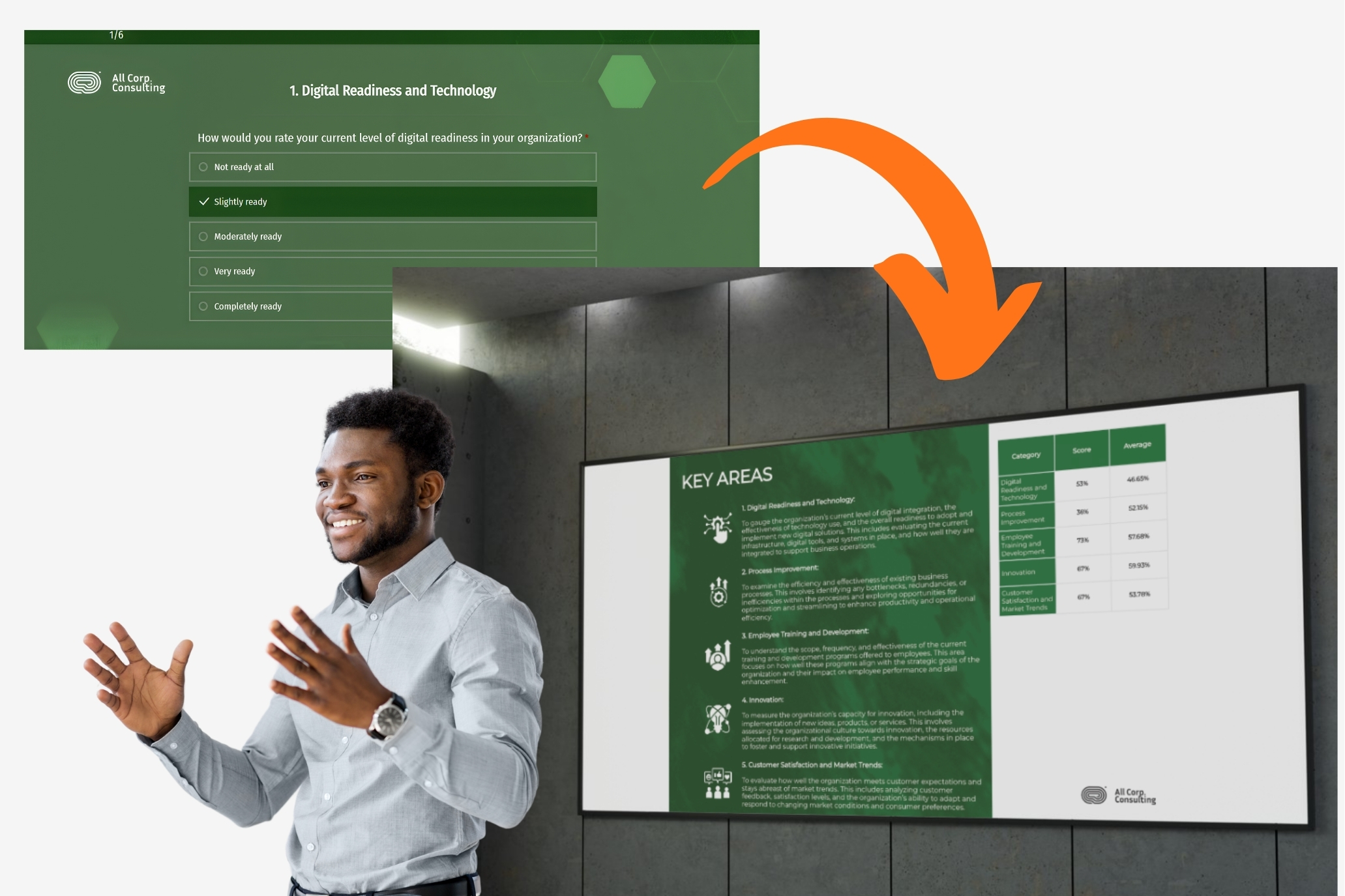
Typically, a complex and expensive chain of tools is required to get from data collection and analysis to personalized reporting. Not with Pointerpro.
From questionnaire builder to PDF report builder, to visualizing results in your dashboard: it all happens on one platform. That said, it’s easy to transfer any data to other apps via Zapier.

Given the limitless capabilities of the Pointerpro platform, organizations envision audacious assessment projects to catalyze their business.
Whatever resources you may lack to manage the scope of your imagination, we can handle for you.
You think it, we’ll build it.






We’re ISO 27001:2022 certified!
ISO 27001 certification assures our customers of a steadfast commitment to maintaining the highest standards of information security and safeguarding their valuable data.
This certification underscores Pointerpro’s dedication to meeting global benchmarks and instilling confidence and trust in the reliability and security of its services.

A dynamic PDF report is a document that adapts its content based on user inputs or data. Rather than showing the same content to everyone, it personalizes sections such as scores, text blocks, charts, or recommendations. These reports are generated automatically using logic rules, making them especially useful for assessments, evaluations, or onboarding flows.
Use a PDF report when you need a downloadable, professional-looking document that can be easily shared, printed, or archived. Dashboards are ideal for real-time interaction, but PDFs offer more control over branding and layout, and they’re better suited for formal deliverables like proposals, certifications, or summaries that need to be handed off to clients or stakeholders.
Automated PDF reports are widely used in consulting, HR, training, and marketing. For example, consultants use them to deliver personalized assessments; HR teams generate structured evaluation reports; and marketers offer lead magnets with tailored content. Any industry that needs to turn user input into a formal, personalized document stands to benefit.
A well-crafted PDF report should combine structure with personalization. Key components often include:
-
A clear title or summary section
-
Personalized results or recommendations
-
Charts or visual elements based on input data
-
Conditional sections that adapt to the user
-
Branded design with consistent fonts, colors, and layout
-
A final call-to-action or next steps (if applicable)
What matters most is that it feels tailored and actionable for the end user.
Yes. Most modern PDF report builders - though not very many for assessments or surveys (Pointerpro does) - offer visual editors that let you set up logic, templates, and personalization without coding. You can use drag-and-drop tools to control layout and embed variables that pull in dynamic content automatically. This allows non-technical teams like consultants, marketers, or HR professionals to build powerful reports on their own.
Pointerpro is a software platform to create your own online assessments, automatically generate personalized reports and manage the distribution of assessments.
Your assessment challenges and objectives are unique to you. So is our pricing. Request your quote and find how we can help you.
Yes, we are.
This depends on the plan. You can pay monthly for the Professional and the Enterprise plan.
You’re in safe hands. We’re ISO 27001:2022 certified!
ISO 27001 certification assures our customers of a steadfast commitment to maintaining the highest standards of information security and safeguarding their valuable data. This certification underscores Pointerpro’s dedication to meeting global benchmarks and instilling confidence and trust in the reliability and security of its services.
Pointerpro’s servers are hosted at Amazon Web Services (AWS) in Ireland (EU/EEA) (more info here) and in Australia for Australian users, the world’s largest and most reliable cloud infrastructure provider. This ensures compliance with EU data protection regulations and guarantees high standards of security and reliability. All our servers are set up redundantly to prevent loss of data or unavailability of any kind. Our SLA with AWS ensures any issue be taken up with the highest priority. Our specialized infrastructure and operations provider keeps a watchful eye to make sure everything is done following the highest standards and operating smoothly. For more info check Pointerpro’s security statement.
We have over 50 languages supported. You can create each assessment and report in one or more languages. You can check the full supported languages list here.
We offer two approaches: Do-it-yourself (DIY) and done-for-you (DFY).
DIY is a hands-on approach to building everything by yourself. We will ensure you learn how to use the key features to build a great assessment and report. Likewise, we’ll support you until you are ready to go live and launch the assessment to the respondents
DFY is the quickest way to get there. Our team will do the heavy lifting here. You will simply share with us the existing version of the assessment and pdf report and we will translate them into Pointerpro. Once we are done, we will teach you how to make changes to it, teach you how to distribute the assessment for you to master your desired workflow. You can reach out to support@pointerpro.com
It’s best to get started right away but our team is there to help you to feel comfortable when using the tool based on your own needs and timings. We also have a clear onboarding process in place.
We offer a do-it-yourself solution to build your own assessments, ranging from personality to skills to cybersecurity, and far beyond. The aim of our platform is to help you leverage your own expertise. That means, we don’t provide any content for your assessments.
Our onboarding process is designed to help you get up and running smoothly - whether you're starting from scratch or already have something in mind! The Onboarding Team will guide you through the key steps to create and launch your assessments and reports with confidence. After the Onboarding, our support team is available whenever you need extra help or have additional questions.
We are a global company that serves businesses across every industry with stories similar to yours. Check out our gallery of customer case studies or feel free to ask for some other specific cases we can share.