
Consultant nightmare: You need to turn raw client survey data into insightful, personalized reports, by tomorrow. But how? Short answer: automate. Adopt a system that does three things at once: collecting responses, analyzing them using your logic, and generating tailored reports.
In case you need some convincing, I’ll give you some insights from the trenches:
Automated reports bring consistent quality and speed-to-delivery. Usain Bolt style. Manual reporting is like running a race with one shoe.
It’s not safe: Errors slip in easily and analyses tend to be inconsistent, especially when various people work on reports.
It’s slow: Manual reports easily eat up 12 – 15 hours per client, like used to be the case for UK based DEI consultancy, WISE.

It would have taken us a couple of days, at fastest, to ultimately send reports through. The automated reporting functionality means that we don’t have to do that, and that saves us 12 to 15 hours per report. – James Walker (Head of Product New Development at WISE)
Pointerpro users, who used to create manual reports at some point in the past, typically tell our solution experts that time goes to “waste” into the following steps:
|
What |
Time it takes |
Details |
|
Data collection |
1-2 hours per report |
Gathering the raw survey responses from various sources. For instance, manually exporting data from different survey tools or combining results from email, web, and in-person surveys. |
|
Data entry |
1-3 hours per report |
Consolidating all the collected data into a single master file, like an Excel spreadsheet. This often includes transcribing answers from paper surveys or standardizing responses from different digital formats. |
|
Data verification |
0.5-1 hour per report |
Checking the consolidated data for human errors. This means cross-referencing the master file against the original survey responses to find and fix any typos or copy-paste mistakes. |
|
Report generation |
1-4 hours per report |
Turning the verified data into the final report. It involves manually creating charts and graphs to visualize the survey results and writing the narrative that explains the key findings |
|
Review |
0.5 – 1 hour per report |
Polishing the final document for clarity and professionalism. This tends to entail proofreading text, charts or adding design and branding elements. |
|
Client communication |
0.5-1 hour per report |
Delivering the initial survey and the eventual report to the respondent. It includes drafting the delivery emails, packaging the report, and preparing to answer any questions about the survey findings. |
At Pointerpro, we preach the Ask Assess Advise (AAA) principle. It insists on a closed loop that integrates:

When you automate this way, you move from reactive “firefighting” to proactive (or prospective) advisory work. And your clients (or prospects) will love your efficiency.
This approach makes client-centered advice scalable.
First of all: Avoid generic forms. Start by using a questionnaire that’s aligned with your client’s business goals. The way you do so is by using question logic. It allows you to first explore respondents’ challenges and opportunities and then efficiently follow up with ultra-relevant questions only. Ultimately that will allow you to deliver a truly tailored report.
Secondly: Use some sort of assessment scoring system. This simply means you pre-define scores and weights for answer options and questions, so that you can calculate scores and subscores. Based on these, you get to customize the content of the report you deliver to each respondent.
You use Google Forms to collect data. It’s easy to set up, though limited in logic and design. Responses land in Google Sheets, where you apply spreadsheet formulas to calculate scores or flag answers.
With Googles Autocrat add-on, you merge that data into a pre-designed Google Docs template and afterwards you can export it to a destination folder or email it manually as a PDF.
I could never explain it any better than James Kieft did in the video below:
|
Why it fits the AAA-framework |
|
|
Pros |
While you might need a Google Workspace account for full functionality, this flow keeps costs minimal and is great for testing out automation before scaling up. |
|
Cons |
The setup is still rather prone to human error because for instance formulas in Google Sheets can easily break if questions change or if multiple clients are added in the same sheet. It’s also not that scalable, because for instance each new client would require a fresh copy of the Google Sheet, Doc template, and Autocrat setup. That becomes messy and time-consuming fast. Also there is no personalization with brand design. |
|
Best for: |
Solo consultants or early-stage teams experimenting with report automation. |
This flow gives you more creative control than flow 1, but also introduces more complexity. You start with a tool like Typeform to collect responses in a visually appealing and mobile-friendly format. It supports advanced logic branching, so your questions can adapt rather fluidly based on answers – something Google Forms struggles with.
From there, responses are routed to a spreadsheet tool like Google Sheets or Excel, where you can clean data, run formulas, and organize responses.

Next comes Make, the low-code glue holding everything together. It moves data between tools and applies business logic, like when to trigger reports or how to handle score thresholds.
Report generation is done via a tool like PDFMonkey, which uses HTML-based templates to build clean, modular PDFs. The final reports are emailed out automatically through Make or Zapier, completing the loop.
|
Why it fits the AAA-framework |
|
|
Pros |
This stack gives you significantly more flexibility in both design and user experience. Typeform looks more polished than Google Forms, which can boost engagement. Excel or Google Sheets are familiar and allow easy formula work, while Make gives you a visual, modular way to automate logic without diving into code. PDFMonkey allows for branded, dynamic content. The final result is a big step up from the bland output of Flow 1. |
|
Cons |
It’s digital duct tape. Every tool in this stack solves a specific problem, but stringing them together means more maintenance, more integrations, and more points of potential failure. A small change in one app – like renaming a Typeform field or tweaking a Google Sheets column – can silently break the entire flow. Debugging issues across platforms takes time, and Make scenarios can turn into spaghetti quickly if you’re not meticulous. PDFMonkey really requires basic HTML/CSS skills for templates. So a rather serious level of digital savviness to use this flow is required. |
|
Best for: |
Growing teams or boutique consultancies that want a custom, branded experience without hiring developers – who have digitally savvy people on board, who are comfortable getting their hands a little dirty with automation tools. |
This flow eliminates the tool-juggling act by offering everything in one platform. You start by building your questionnaire inside Pointerpro, using its Questionnaire Builder. It’s flexible, can be fully white-labeled, and supports advanced logic jumps, so each respondent only sees what’s relevant to them.
As responses come in, Pointerpro’s built-in scoring engine processes answers instantly. You can apply complex logic without touching a single spreadsheet or worrying about broken formulas. Then, you set up a report template in the Report Builder with condition-based content.
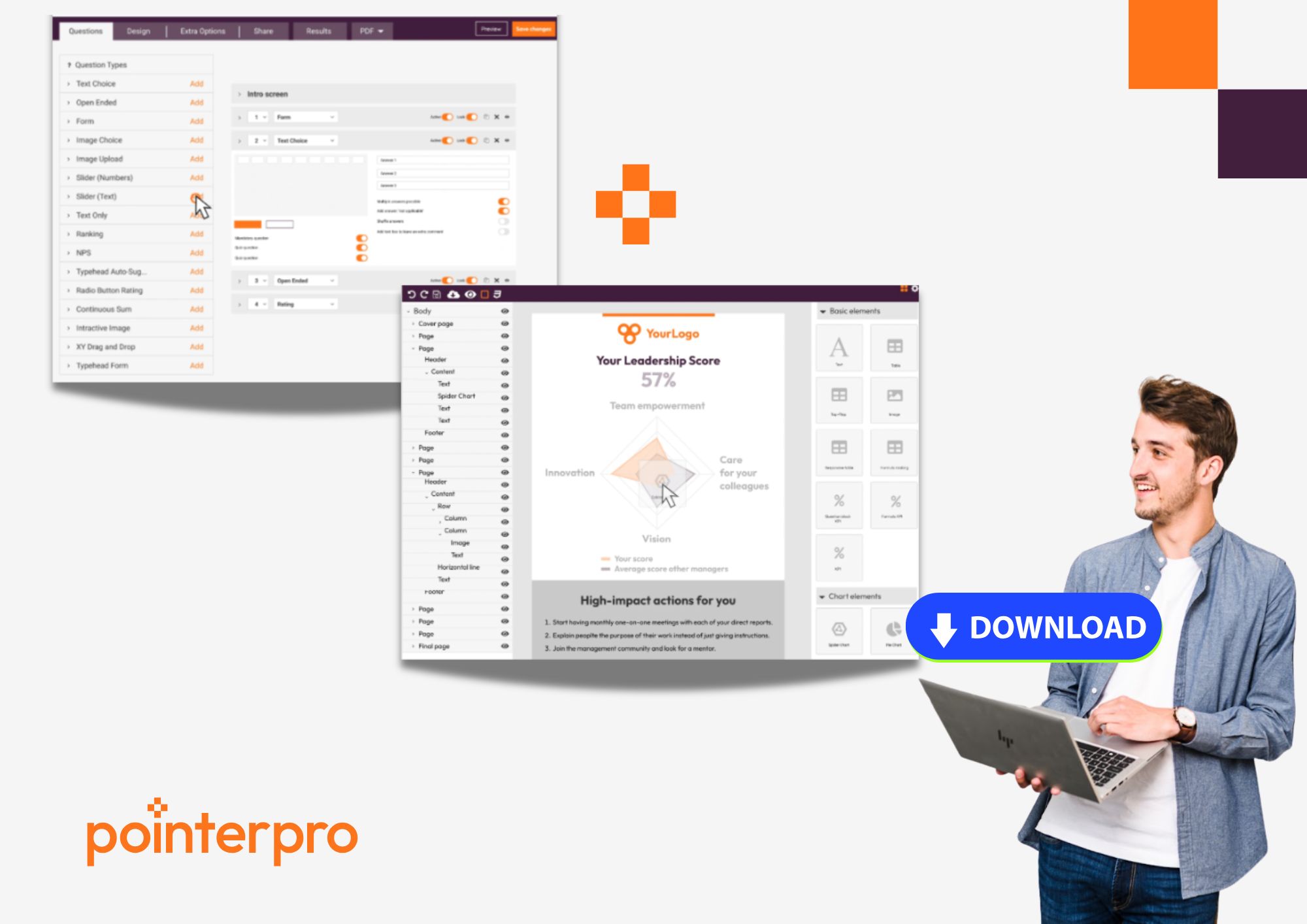
Based on responses, a fully personalized report is generated – branded with your fonts, colors, and topped off with charts and widgets. No external PDF generators, HTML, or mail merges required.Once the report is ready, it can get delivered automatically via email or with the click of a download button at the end of the questionnaire.
All the data collected in an integrated results dashboard, but they can also be integrated with your CRM, or other platforms via Make or Zapier. The entire flow is housed within one secure platform.
|
Why it fits the AAA-framework |
|
|
Pros |
You don’t need to worry about things breaking across tools. Everything from data collection to delivery happens inside one streamlined system. That means fewer manual steps, less troubleshooting, and faster scaling. The branded report output is polished enough to send directly to clients without further editing, which saves time and increases perceived value. The learning curve is smoother compared to juggling multiple third-party tools. Last but not least, support is centralized. You always know where to go for help when you’re stuck. |
|
Cons |
You’re buying into a platform, so while you gain simplicity and reliability, you lose the “pick and mix” flexibility of low-code stacks. If your use case is extremely niche or requires custom-coded logic, it might be beyond what Pointerpro offers out of the box. That said, Pointerpro does have a professional services team to take on edge-cases. |
|
Best for: |
Professional service providers, consultants, or training organizations that want to automate assessments and personalized reports at scale, offer a premium branded experience to clients, and reduce the time and technical complexity of report delivery – all without needing a developer on hand. |
A lot of people build their first automation to solve one use case: one form, one client, one report. But things get messy fast when new clients roll in, questions change, or scoring models evolve. Suddenly, you’re duplicating spreadsheets, updating HTML templates manually, or redoing branching logic in three different tools.
Other people, who have that visionary quality in them, are tempted to add branching logic, scoring tiers, custom layouts, and triggers for every edge case from day one. But the more custom glue you apply between your tools, the more fragile everything becomes.
Often, automations are built in a bubble by someone digitally savvy. But when they’re off on vacation – or leave the company – the rest of the team is left staring at a flowchart (if there is on!) that might as well be an alien language.
It’s easy to focus all your energy on getting data in, applying logic, and triggering automation. But if the final output looks clunky, generic, or hard to interpret, your clients won’t care how elegant your backend is.
Questionnaires and scoring models aren’t static. They grow and change with your business. But when you forget to update the automations that sit behind them, you’re left with broken flows or outdated advice sneaking into your reports.
There’s a reason Pointerpro’s co-founders, Stefan Debois and Mark Penson always dreamed of growing it into the all in-one-platform it is today. In the video below, the latter summarizes the issue with custom development of automated report solutions.
Attain Global, a consulting firm specializing in psychometric testing, needed a scalable way to administer six sub‑assessments – from transversal skills to emotional intelligence – across a multinational footprint.

“We’ve built thousands of variables into this one specific report template… it works. It’s just perfect!” – Riaan van der Merwe (CEO of Attain Global)
Here’s how their approach perfectly mirrors the structure we’ve already discussed:
Ask: They built multiple logic-rich questionnaires in Pointerpro’s Questionnaire Builder, ensuring only relevant questions appeared to each respondent.

- Assess: A very sophisticated scoring logic was embedded directly in the Pointerpro platform – covering subscores across various skill dimensions (without spreadsheets or manual formulas).
- Advise: Pointerpro’s Report Builder automatically generated fully branded, personalized PDF reports, complete with charts, visual widgets, and conditional advice tailored to each user – even automatically delivered via email.

Riaan van der Merwe, CEO at Attain Global, highlights how Pointerpro’s Distribution Portal allowed automated self-service rollout across 35 regional managers and 3,500 outlets – transforming a previously paper‑heavy process into a clean, scalable digital experience.


Why is automation no longer optional?


"We use Pointerpro for all types of surveys and assessments across our global business, and employees love its ease of use and flexible reporting."

Director at Alere
"I give the new report builder 5 stars for its easy of use. Anyone without coding experience can start creating automated personalized reports quickly."

CFO & COO at Egg Science
"You guys have done a great job making this as easy to use as possible and still robust in functionality."

Account Director at Reed Talent Solutions
“It’s a great advantage to have formulas and the possibility for a really thorough analysis. There are hundreds of formulas, but the customer only sees the easy-to-read report. If you’re looking for something like that, it’s really nice to work with Pointerpro.”

Country Manager Netherlands at Better Minds at Work
Yes. Automated reporting not only speeds up delivery but also creates a more professional and consistent client experience. When clients receive personalized insights quickly and clearly, they’re more likely to view your services as strategic, not just operational—building long-term trust and improving retention rates.
Automation is a key enabler of scale. Instead of being bottlenecked by manual work, consultants can serve more clients in less time without sacrificing personalization. This frees up bandwidth for business growth, allows for repeatable processes, and reduces the risk of quality drop-offs when demand spikes.
Strong branding in automated reports enhances credibility. A well-designed, on-brand report reinforces your identity and signals professionalism. Platforms like Pointerpro allow full white-labeling, so each automated report aligns with your client-facing standards - turning what used to be a chore into a marketing asset.
Security depends on the tools used. Enterprise-ready platforms like Pointerpro offer GDPR-compliant infrastructure, data encryption, and role-based access controls - crucial for handling sensitive client data. Using cobbled-together tools like spreadsheets may lack audit trails or robust permissions, raising potential compliance issues.
Industries where personalized insights are core to service delivery benefit greatly:
- Consulting (e.g., DEI, strategy, operations)
- Training & L&D
- Healthcare & Wellness (assessments, diagnostics)
- HR & Recruitment (psychometric testing)
- Financial Services (risk assessments, audits)
Anywhere expert logic drives advice, automated reporting turns insights into scalable impact.


Want to know more?
Subscribe to our newsletter and get hand-picked articles directly to your inbox
About the author:

Jeroen De Rore
As Creative Copywriter at Pointerpro, Jeroen thinks and writes about the challenges professional service providers find on their paths. He is a tech optimist with a taste for nostalgia and storytelling.